What Is a 1-Year Free Antivirus Trial?
A 1-year free antivirus trial can help you evaluate an application on your own devices before deciding whether its features and support suit you. “Free” does not remove the need to read the offer, record the end date, and confirm what happens to protection afterward. This guide covers the practical questions to answer before installing or activating a year-long trial.
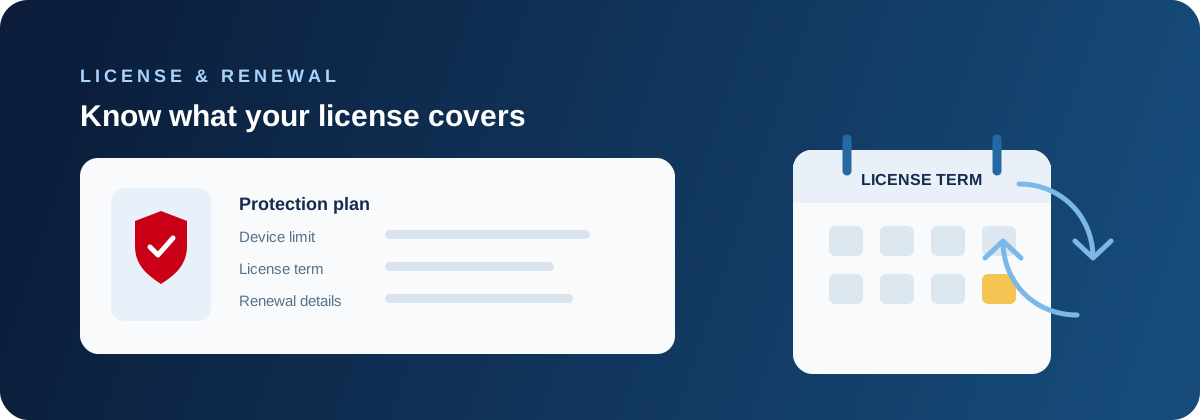
What a free trial usually includes
A trial normally provides access to a defined product tier for a limited period. The exact features, device count, platform support, and length are controlled by the offer. Some trials require an account or payment method, while others may be available through a purchase, a promotion, or a partner. Never assume that a trial includes every feature shown on a company’s main product page.
Read the terms from the official site and save the confirmation email. Check whether the trial begins at download, activation, installation, or the first sign-in. Also check whether protection is enabled immediately and whether an existing security product needs to be removed or placed into a compatible mode.
Check eligibility and device coverage
List the devices you want to protect and their operating systems before starting. A Windows licence may not automatically cover a Mac, Android phone, or iPhone, and a product’s feature set can vary across platforms. Confirm hardware requirements, supported versions, available storage, and whether one account can manage the devices you actually use.
Trials are intended for a fair evaluation, not for repeatedly creating accounts or moving protection between unrelated devices. If the offer has activation limits, device limits, or regional conditions, follow them. A clear inventory prevents the common mistake of believing that a family’s phones are covered when only one PC is activated.
- Supported operating systems and versions
- Number of included devices
- Features available on each platform
- Account and activation requirements
- Trial start and end dates
Understand billing and renewal terms
Some trials convert to a paid subscription unless cancelled before a stated date; others simply expire or downgrade. The checkout page, confirmation email, and account dashboard should identify the price, currency, renewal frequency, payment method, and cancellation process. Store those details somewhere you can find them rather than relying on memory.
A reminder on your calendar is useful, but do not cancel early without checking what cancellation means. Some products stop protection immediately, while others continue until the trial end. Use the official account or support channel, save the confirmation, and check the account afterward.
Evaluate protection rather than marketing
Use the trial to see whether the product gives understandable alerts, updates reliably, and works with your normal browsing and applications. Try the settings, scan controls, quarantine history, account management, and support documentation. Do not deliberately download malware to test it; that can damage your data and create a real incident.
Pay attention to what the product does not claim to cover. Antivirus does not make phishing, weak passwords, unsafe backups, or compromised online services harmless. Evaluate privacy controls, notification clarity, performance on your device, and whether the people who will use it can respond appropriately to an alert.
Avoid conflicting security products
Do not install a trial next to another product with active real-time protection unless the vendor explicitly supports that arrangement. Competing products can block one another, duplicate scans, create confusing warnings, or leave a device with no clear owner of protection. Follow the installer’s compatibility guidance and record what changes it makes.
Keep a recovery option before changing security software. Know how to sign in to the operating system, where important files are backed up, and how to contact support. If installation fails, do not use an unofficial cleaner found through a pop-up; return to the official download and help pages.
What happens when the trial ends
Protection may remain active through a paid renewal, downgrade to a limited mode, or stop when the licence expires. Check the status in the product rather than guessing. An expired product should not be left as the only real-time protection. Decide whether to renew, switch to another compatible product, or use the available built-in protection before the end date.
If you switch, remove the old product using its supported uninstall process and restart when required. Confirm that the replacement is active, updates are current, and no protection warning remains. Do not keep an expired application solely because its icon is still visible.
A simple trial evaluation checklist
At the start, record the activation date, trial end date, covered devices, and renewal terms. During the trial, review updates, alerts, scans, settings, privacy choices, and support. Near the end, make a decision based on actual needs instead of a countdown or a frightening sales message.
The best trial outcome is a clear decision and a protected device. If the product is not suitable, cancel or uninstall through official controls, verify the replacement, and remove stored payment details where the account allows it. Keep invoices and confirmation emails for your records.
- Save the exact offer and confirmation email
- Set a reminder before the end date
- Test the features you would actually use
- Confirm all intended devices are activated
- Verify protection after renewal, switching, or cancellation
Final takeaway
A free antivirus trial is an opportunity to evaluate fit, not a reason to ignore terms or run several security products at once. Check coverage, activation, privacy, performance, billing, support, and the transition plan before you start.
Use official pages, keep a record of dates, and make sure every device has one active protection plan when the trial ends. A calm decision based on your devices and habits is safer than reacting to an unexpected renewal or an alarming expiry notice.
Questions customers often ask
- Does a free antivirus trial require a credit card?
- Some offers do and some do not. Check the specific checkout and trial terms, including whether the plan renews automatically and how cancellation works.
- Can I use a trial on several devices?
- Only if the offer includes those devices and platforms. Confirm the device limit and activate each device through the supported account or installer.
- What should I do before the trial expires?
- Decide whether to renew, switch, or use another compatible protection layer. Verify the end date, cancellation result, and active protection status.
- Can two antivirus trials run together?
- Do not run two products with active real-time protection together. Follow the vendors’ compatibility guidance and keep one clear primary product.
- Is a trial the same as a free antivirus product?
- No. A trial normally provides temporary access to a defined paid tier, while a free product may have a different feature set and ongoing terms.
Related 1-Year Free Antivirus Trial Articles
View all Bitdefender guides · Compare Windows 11 trial considerations · See what a trial may include · Plan for the end of a trial · Review the 1-year antivirus trial offer · Review Bitdefender Total Security