Online Security Guide: How to Protect Yourself From Common Cyber Threats
Online security is the set of choices and controls that protect your accounts, devices, money, communications, and personal information while you use the internet. No single product can prevent every scam or compromise. The most useful plan combines strong account controls, updated devices, cautious decisions, privacy awareness, and a response plan for mistakes.
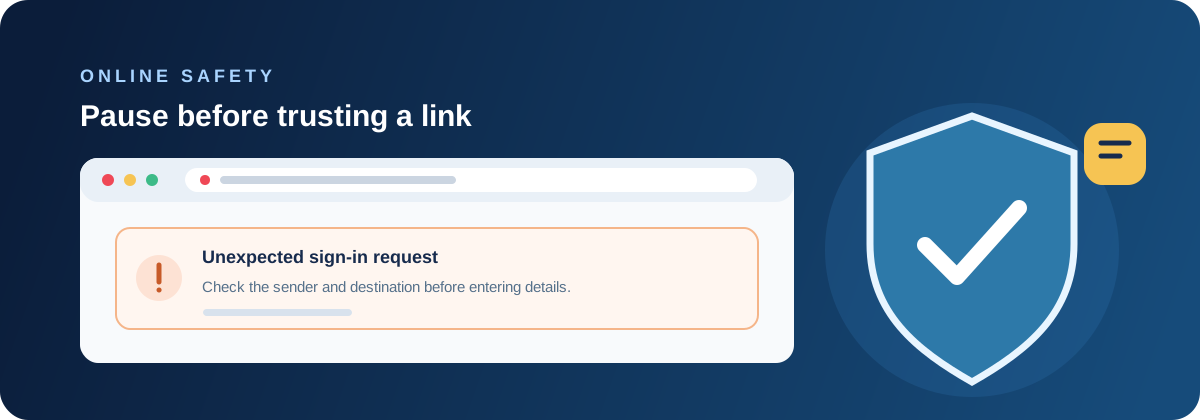
Protect the accounts that unlock everything else
Start with email, phone, password-manager, banking, and primary identity accounts. Use a unique password for each, enable multi-factor authentication, and keep recovery methods current. An attacker who controls email may be able to reset other passwords, so it deserves the same care as a bank account.
Review active sessions, connected applications, forwarding rules, and security notifications periodically. Use an authenticator or hardware key where appropriate, and protect recovery codes in a private location. Never share a one-time code with an unsolicited caller, even if the caller knows personal details.
Recognize phishing and impersonation
Phishing messages try to move you from a calm decision to a rushed action: clicking a link, opening an attachment, paying an invoice, or reading a code aloud. Check the sender, domain, request, and urgency independently. A familiar logo and a secure-looking website do not prove that the request is genuine.
Use a bookmark or type the known website address rather than following a sensitive message link. For a payment or account change, contact the person or organization through a separate, trusted channel. If a message says you must keep the request secret, treat that as a warning rather than a security instruction.
- Pause when a message creates urgency
- Inspect the real sender and destination
- Verify unusual requests independently
- Report and delete suspicious messages
Keep devices and apps secure
Install operating-system, browser, application, and router updates from their normal update mechanisms. Use a screen lock and encryption where supported. Keep a single compatible real-time security product active, and do not click a pop-up that claims your device is infected and provides an unfamiliar phone number.
Remove software, browser extensions, and permissions that you no longer need. Review apps on mobile devices as well as computers. A small, maintained set of software is easier to update and monitor than a collection of abandoned utilities downloaded for one temporary task.
Shop, pay, and share information carefully
Before entering payment or identity information, confirm the address and use a connection you trust. HTTPS helps protect the connection but does not certify that a site is legitimate; phishing sites can use HTTPS too. Prefer payment methods with alerts and dispute processes, and monitor statements for unfamiliar activity.
Give services only the information they need. Check privacy settings, application permissions, and the audience for social posts. Be careful with quizzes, giveaways, and “verification” forms that ask for account answers or identity details unrelated to the service being offered.
Use public Wi-Fi with realistic expectations
Verify the network name with the venue and turn off automatic connection to open networks. Keep file sharing and network discovery disabled on an untrusted connection. A VPN can protect traffic between the device and the VPN service, but it does not stop phishing, malware, unsafe downloads, or a compromised account.
Postpone sensitive activity or use a trusted mobile hotspot when the network cannot be verified. Forget temporary networks when finished and close sessions on shared computers. Never install a “required update” offered by a Wi-Fi sign-in page.
Back up and prepare for account recovery
Maintain backups of irreplaceable files and test restoring them. Keep at least one copy separate from the computer so ransomware or a mistake cannot alter every copy at once. Protect cloud storage with strong authentication and review sharing links.
Write down recovery steps for important services while you are calm. Know how to freeze a card, contact a bank, report a compromised account, and reach your security provider through an official channel. Preparation turns an emergency into a sequence of actions instead of a search through suspicious messages.
Respond when something goes wrong
If you clicked a suspicious link, stop entering information and close the page. If credentials were entered, change them from a trusted device and review sessions. If malware may be present, disconnect the computer from networks when practical and scan it with a trusted product. Contact financial providers quickly when payment details are involved.
Do not hide a mistake from the people who can limit its effect. Tell a workplace, school, bank, or family member when their account or data may be involved. Preserve relevant messages and times, but do not keep interacting with an attacker to gather proof.
Final takeaway
Online security is resilient design: make important accounts harder to take over, make unsafe actions easier to question, keep devices current, and make recovery possible. Antivirus and privacy tools can add useful layers, but they do not replace judgment or backups.
Review the routine when your devices, accounts, travel habits, or household change. A short pause before a link, a unique password, and a tested backup are small controls that remain useful across many different threats.
Questions customers often ask
- What is the most important online-security step?
- Protect your email and other high-value accounts with unique passwords, multi-factor authentication, and current recovery methods. Then keep devices updated and maintain backups.
- Does a VPN make browsing safe?
- A VPN can protect traffic between your device and the VPN service on some networks, but it does not prevent phishing, malware, unsafe websites, or stolen credentials.
- How can I tell whether a message is phishing?
- Check the sender and destination independently, slow down urgency, avoid unexpected attachments, and contact the organization through a known channel instead of the message link.
- What should I do after entering a password on a fake site?
- Change the password from a trusted device, change it anywhere it was reused, revoke unfamiliar sessions, enable MFA, and report the incident to the affected service.
Related Online Security Articles
View all Bitdefender guides · What to do after clicking a phishing link · Protect your identity online · Use public Wi-Fi more safely · Secure your home Wi-Fi network · Review Windows internet security